
The Best Examples Of Effective Frequently Asked Questions Template Page 2026

The Best Examples Of Effective Frequently Asked Questions Template Page 2026

The 12 Best Examples of Effective FAQ Template Page

FAQ pages (or information centers) help a business answer and guess what people need faster and better than other web pages.

A good FAQ page can teach, give information, and smoothly lead the person using the website to where you want them to go and what you want them to do.

The job of an FAQ page has changed over the years.

What Is the Purpose of a FAQ Page?
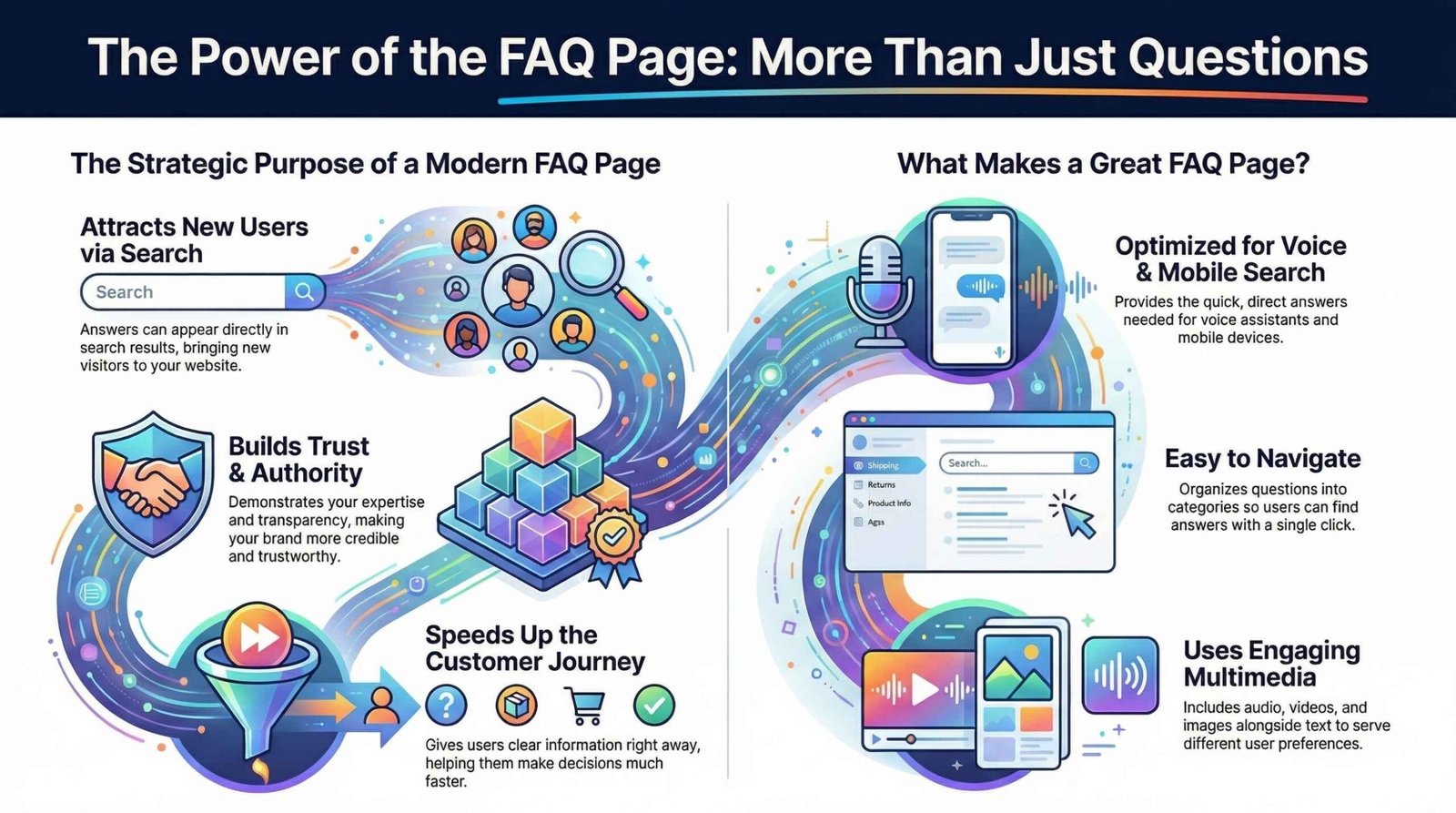
This guide explores the modern evolution of FAQ pages, emphasizing their shift from simple text lists to dynamic hubs for search engine optimization and user engagement. By addressing common queries, businesses can increase website traffic, establish brand authority, and foster customer trust through helpful, multi-media content. Effective templates prioritize user experience by organizing information into searchable categories and ensuring pages are mobile-friendly for voice search compatibility. The text highlights industry leaders like Amazon and WhatsApp to demonstrate how clean design and artificial intelligence can streamline the customer journey. Ultimately, a well-crafted FAQ section serves as a strategic tool that guides visitors toward making purchases while providing instant support.

First, FAQ pages can bring new people to your website when they search online. They can then quickly send these people to other pages on your site, like blog posts or service pages that are about the same topic.

Next, a great way to get your brand seen in search results is by answering people’s questions and problems. An FAQ page is perfect for this. It helps people find your site and shows them little bits of answers right in the search results, even before they click.

A good Frequently Asked Questions page (which can be like a small help center) helps people find what they are looking for much faster.

The whole journey, from when someone first visits your site to when they do what you hope (like buying something), also becomes faster. This is because you give them clear information right away, which also helps them trust you.

By having an Frequently Asked Questions page, your company shows that you know a lot about your topic. You can also introduce your team and share your special knowledge about your industry much sooner.

You also become more trustworthy and helpful by giving your audience the information they need in different ways they like. This now usually includes audio, videos, and pictures, instead of just plain text like in the old days.

You are also helping people who need answers without having to talk to someone in person or go to a store. You do this by giving them quick answers online that are always there.

People will always want help and advice. But they don’t want to call, go to a shop, or even wait a few minutes to get the information they need.

They want it right now, and in the way they like it best.

Why FAQ Pages Are Priority
FAQ pages are still very important for people who work on making websites easy to find online.

An FAQ page is one of the easiest things you can add to your website to make it better and help the people who visit it.

You should think of your FAQ section as a helpful tool for your audience that keeps growing and getting better.

It’s a place where you don’t just answer their questions—you try to guess what they’ll need next and give them even more than they asked for.

One big reason FAQ pages are so important now is because of voice search (like talking to Siri or Alexa), searching on phones, and smart speakers at home.

These tools often use quick answers from search results, and FAQ pages are perfect for providing those answers.

People need to talk things through, compare options, and get support when they make decisions, both online and in real life. FAQs can help with all of that.

A good FAQ page tries to:

  • Really understand and answer what your audience needs.

  • Cover all kinds of questions—from “how do I buy?” to “where are you?” to “what does this mean?”

  • Keep getting updated with new information you learn from your website, your industry, and what works best.

  • Bring new people to your website by solving their problems, and keep them coming back by adding new, helpful answers.

  • Send visitors to other important pages on your site and help guide them toward doing something you want, like buying or signing up.

  • Give you good ideas for blog posts and other content, by naturally connecting topics that are related.

  • Show that you are an expert and someone people can trust in your field. It gives your brand and your team a place to teach, inform, and support the people who are interested in what you do.

Top Examples Of Effective Frequently Asked Questions Template Page 2026

Now, let’s look at 12 amazing Examples Of Effective Frequently Asked Questions Template pages/resources and explain why they’re so powerful.

1. Caesarstone

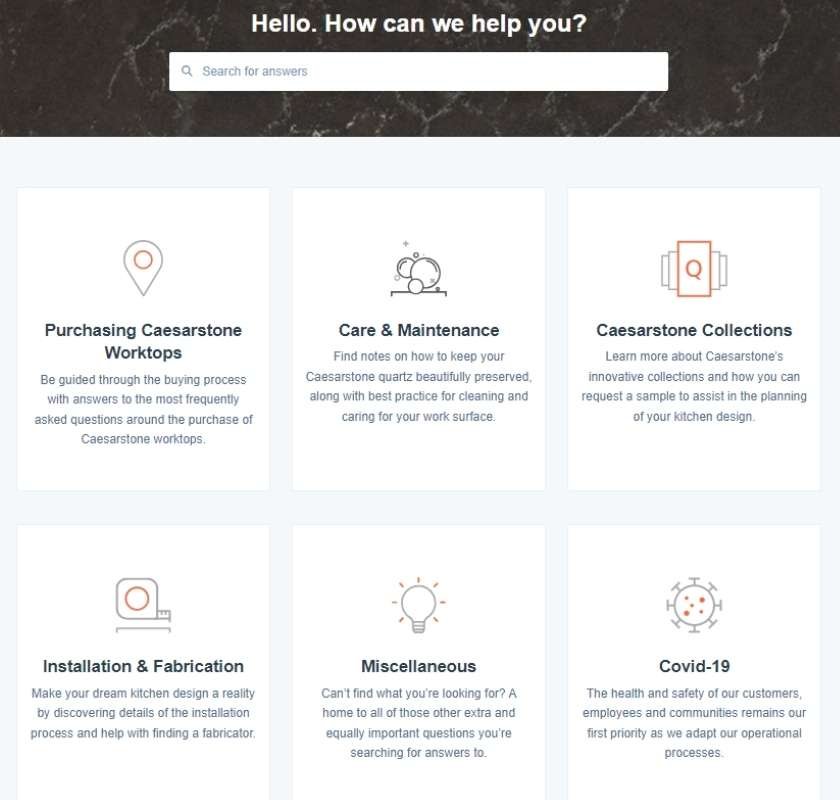
The FAQ page for Caesarstone UK is simple and easy to use. It puts similar questions together on special pages that are just for that topic.

As you can see in this example, FAQ pages should be easy to move around, find answers quickly, and let you get an answer with just one click.

Top Examples Of Effective Frequently Asked Questions Template Page 2026

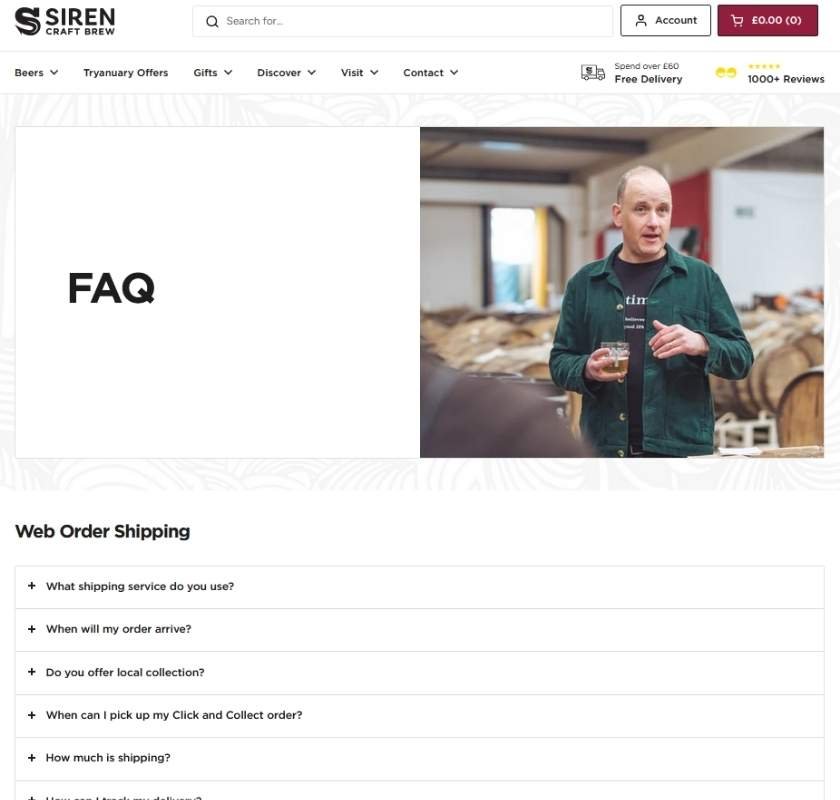
2. Siren Craft Brew

Siren Craft Brew uses extra menus and sections that you can open with a click. This makes it easy to find information on different topics, whether you’re using a phone, tablet, or computer.

Top Examples Of Effective Frequently Asked Questions Template Page 2026

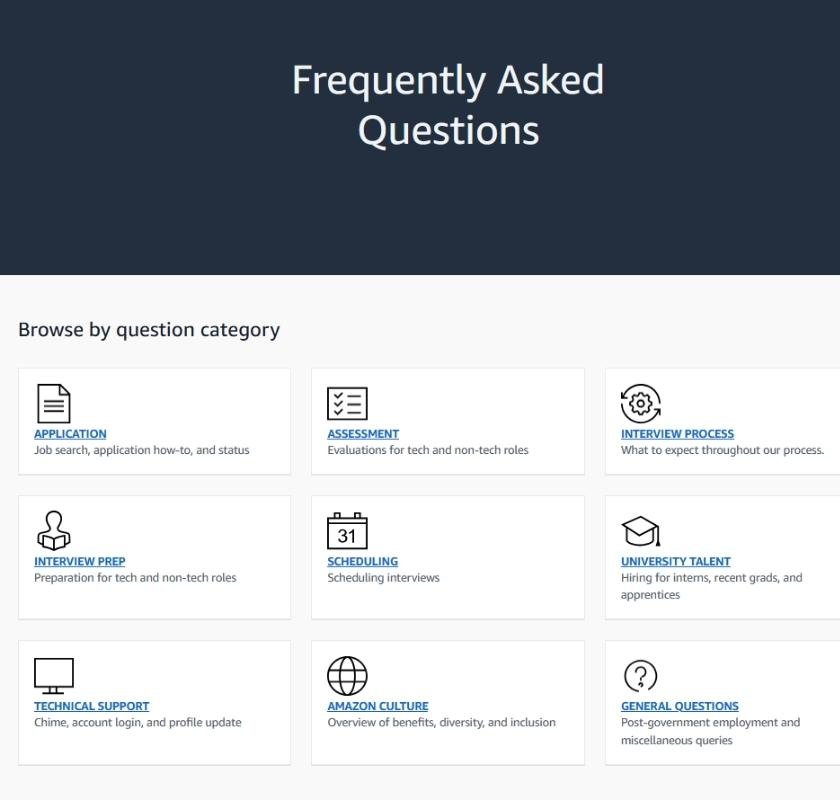
3. Amazon

It’s no surprise that Amazon is on the list of 12 best FAQ pages.

The company uses information to give you a special experience and uses smart computer programs (AI) to keep the conversation going. This makes it feel like a real person is helping you and understanding exactly what you need.

Top Examples Of Effective Frequently Asked Questions Template Page 2026

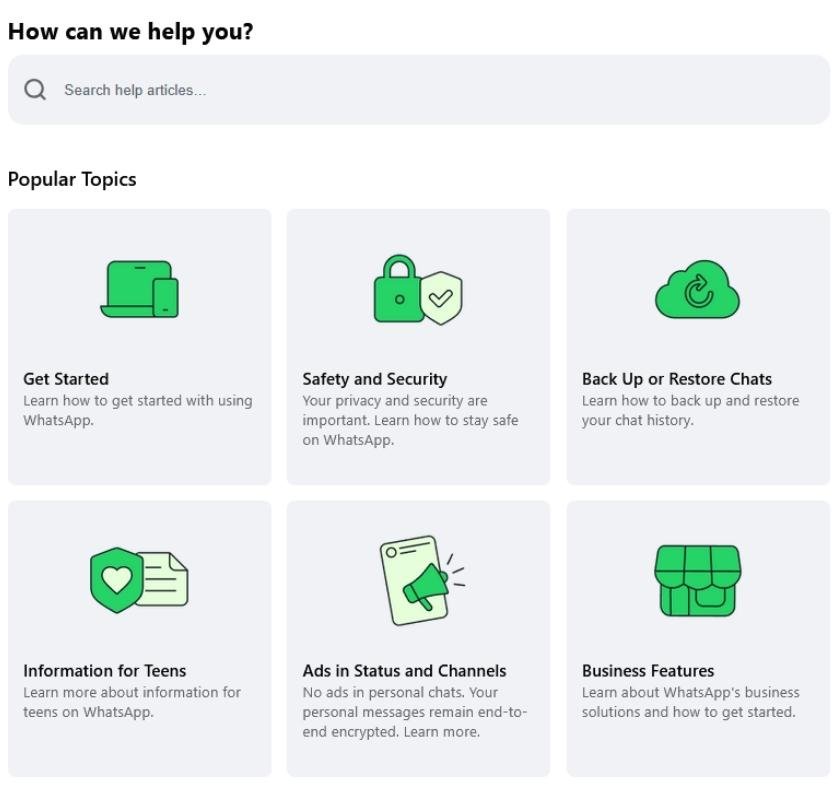
4. WhatsApp

The WhatsApp Help Center is colorful, easy to use, and sorted into clear groups so you can find things fast on a computer or a phone.

When people think about what an FAQ page should do, they sometimes forget how important it is for the page to load quickly and for you to get the information fast.

Also, the friendly way it’s written makes it feel like a helpful place where you can find answers and get good advice.

The 25 Best Examples of Effective FAQ Template Page

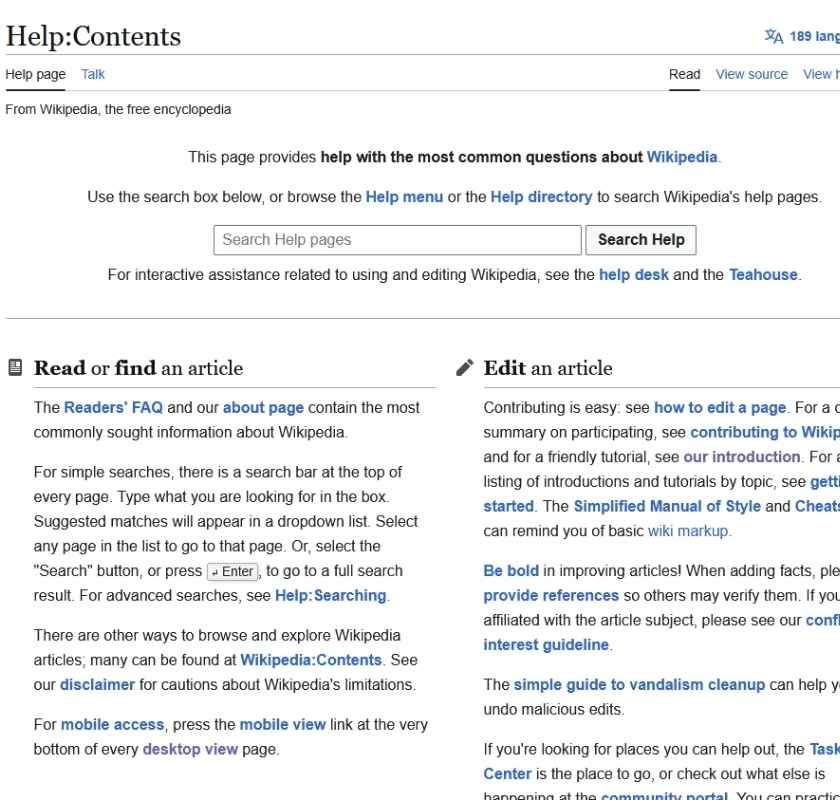
5. Wikipedia (Wiki Help)

Wikipedia’s help page is a great example of an old-style FAQ page that mostly uses text.

It has lots of words, is split into main subject areas, and gives you links to every important help section you could ever want.

There’s something important, useful, and a bit old-fashioned about FAQ websites like this. They are still very helpful and work perfectly well.

I also like how you can easily change how the FAQ page looks using the buttons on the right side. This makes it easier for you to read it the way you like.

The Best Examples Of Effective Frequently Asked Questions Template Page 2026

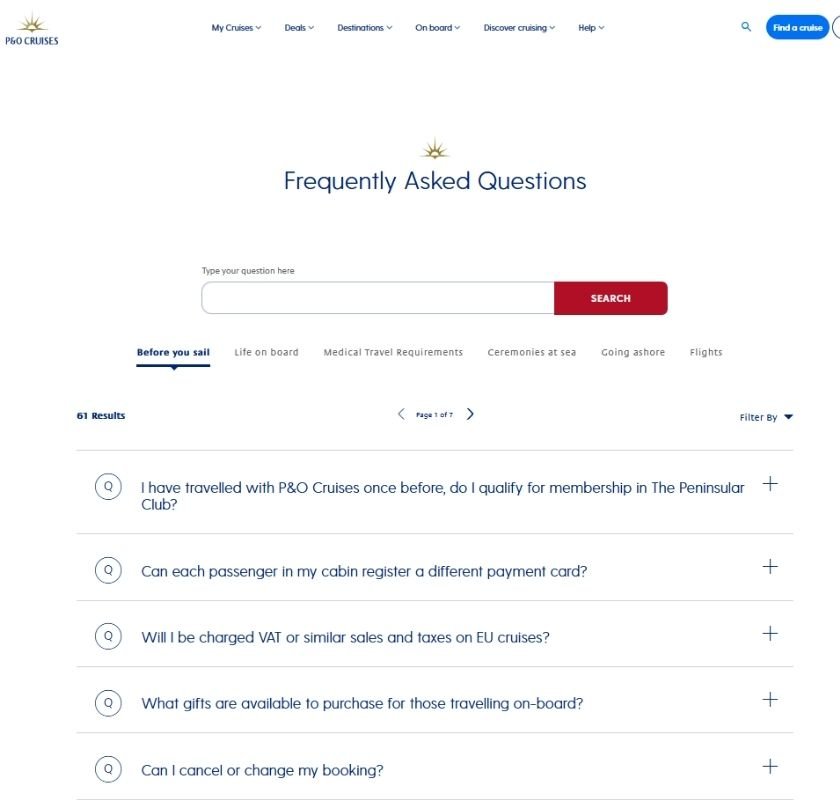
6. P&O Cruises

P&O Cruises gives a nice mix of questions about holiday choices and more specific ones about booking a cruise and what to do on it. Their FAQ page gives simple, helpful answers to the people who use this information center.

The Best Examples Of Effective Frequently Asked Questions Template Page 2026

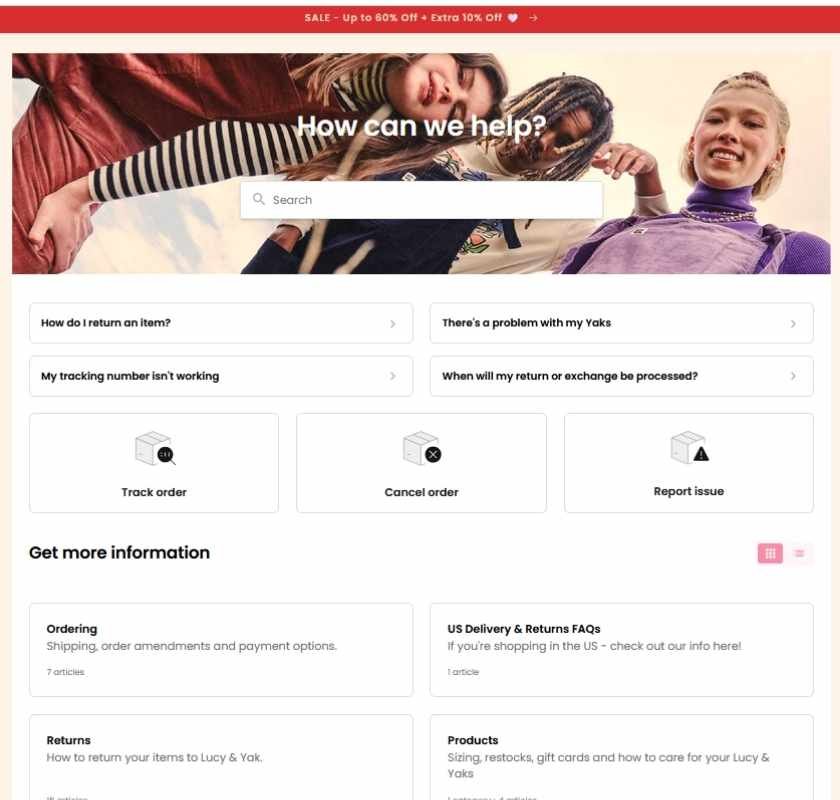
7. Lucy And Yak

Online stores sometimes forget to make their FAQ pages feel friendly and human. Their pages can feel like just a boring list of instructions.

Lucy and Yak does the exact opposite. Their FAQ center knows who their visitors are, is easy to use, and is simple and friendly to interact with.

The Best Examples Of Effective Frequently Asked Questions Template Page 2026

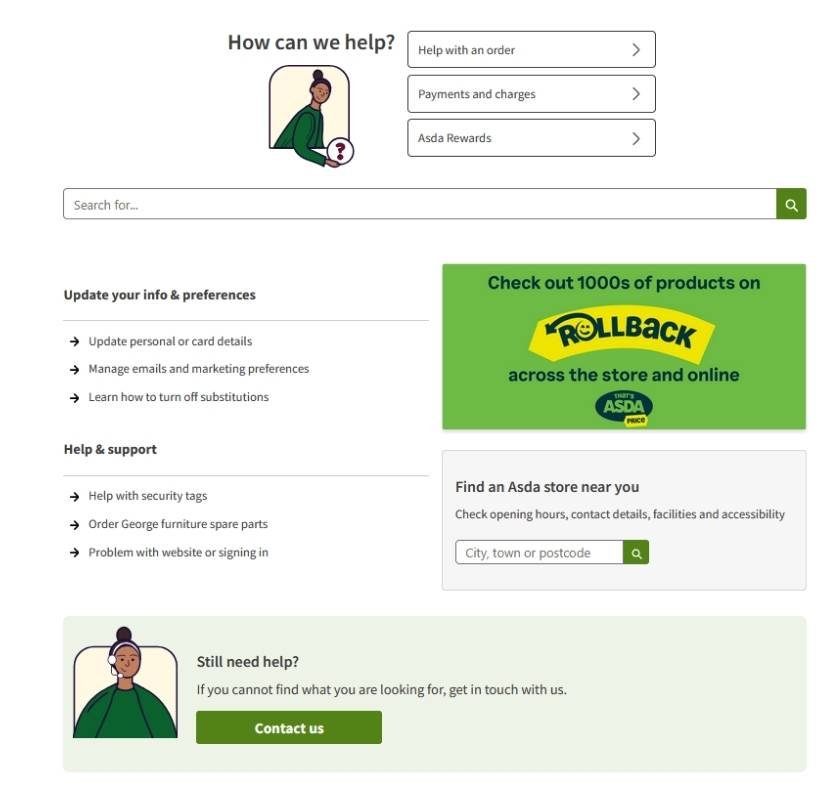
8. Asda

The Asda customer help center feels friendly in the way it talks, looks, and the pictures it uses. It’s good when a big company makes their help page feel this nice.

Using fun phrases like “off the shelf answers” is a playful way to get people interested and involved. And that’s exactly what an FAQ page should do.

The Best Examples Of Effective Frequently Asked Questions Template Page 2026

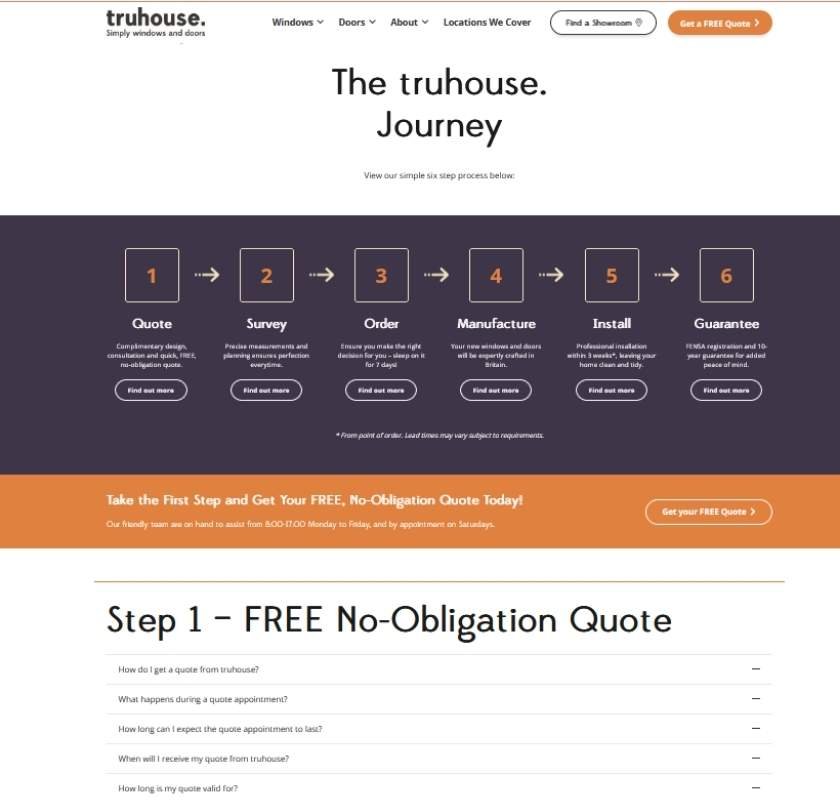
9. Truhouse

The best part about the Truhouse FAQ page is that it is split into every step a person takes when they are looking for information or buying something.

I haven’t seen many other FAQ pages where the questions are divided up this clearly and made this simple, so people can find what they need and keep moving forward.

The Best Examples Of Effective Frequently Asked Questions Template Page 2026

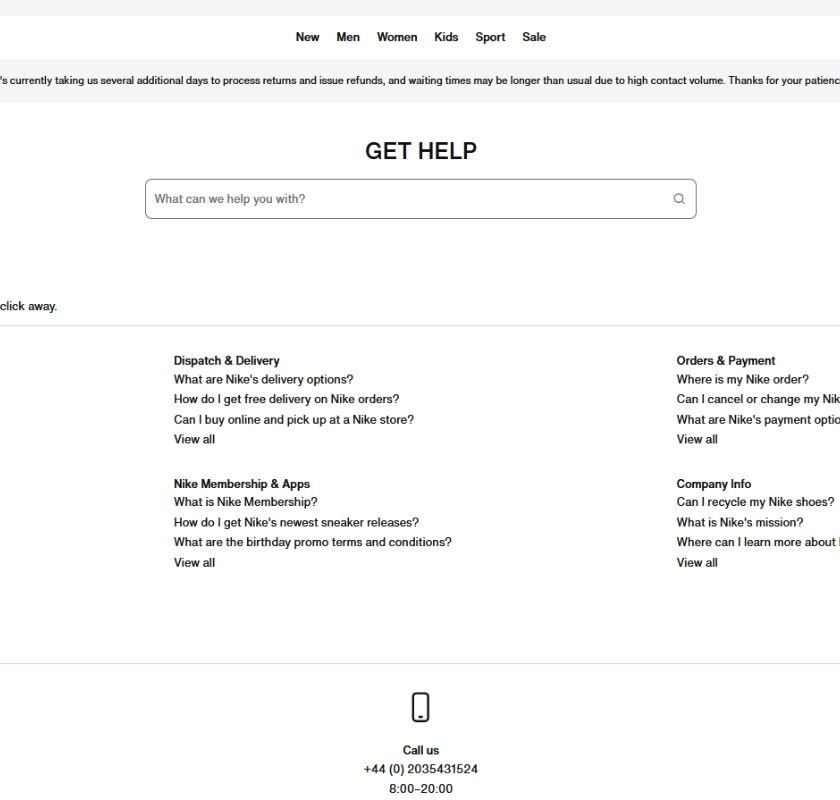
10. Nike

Nike’s “Get Help” section for customers is a great example of using clean, empty space and clear buttons in its design.

FAQ pages can sometimes be too complicated and hard to use.

The Nike page shows that from the words to the design, sometimes making an FAQ page simpler is actually better.

The Best Examples Of Effective Frequently Asked Questions Template Page 2026

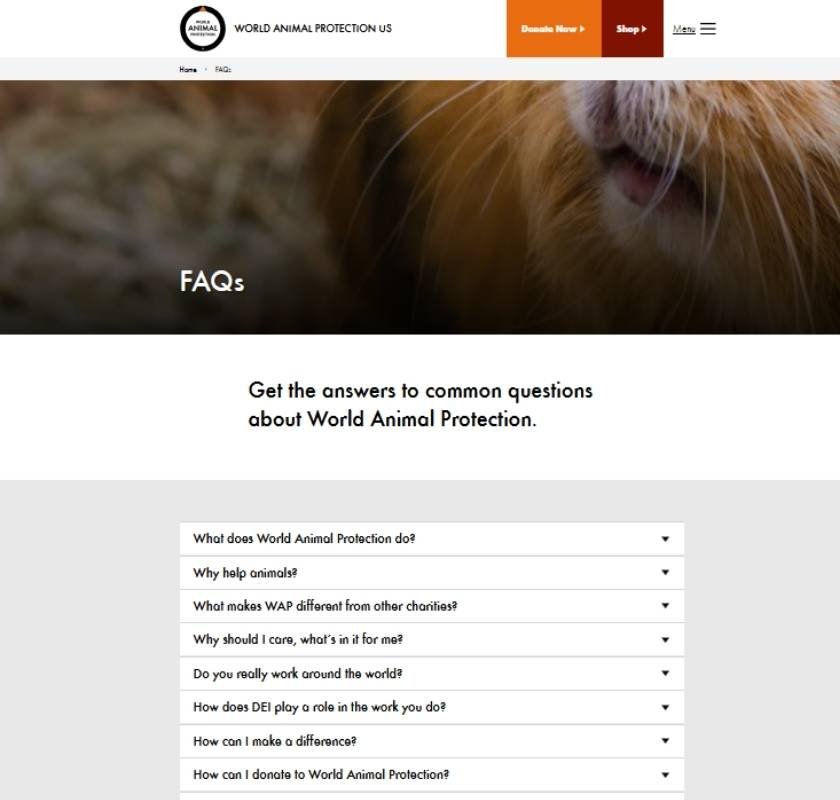
11. World Animal Protection

FAQ pages should collect lots of scattered information and present it in a way that is simple, makes sense, and is easy to use.

World Animal Protection does exactly that.

As a visitor, your time is important. You want to move through the website as fast as possible. The way they handle and show information makes it useful just by how it’s designed.

The Best Examples Of Effective Frequently Asked Questions Template Page 2026

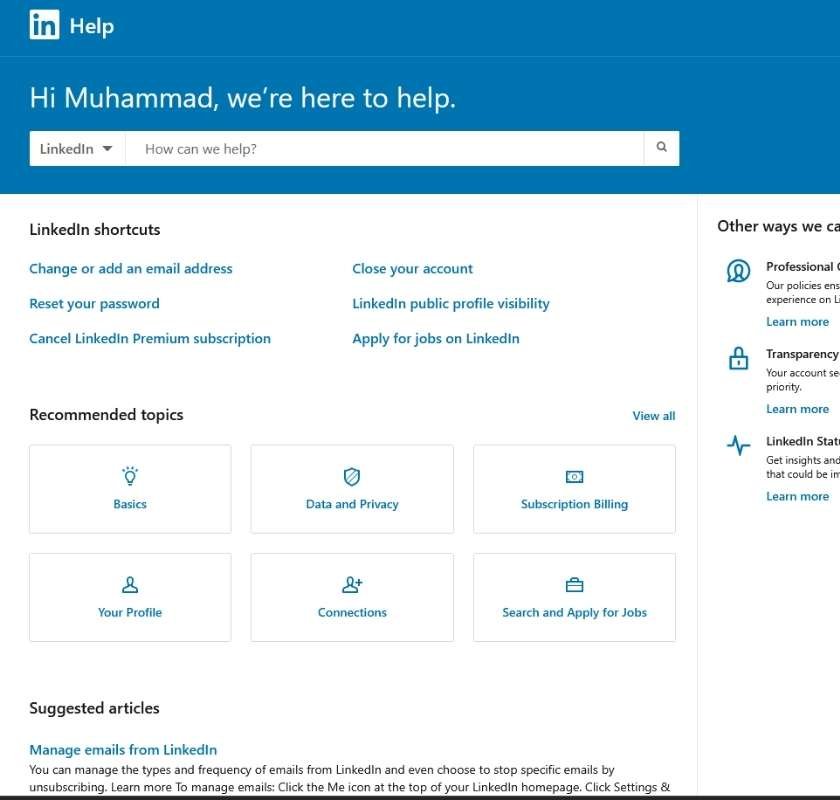
12. LinkedIn

LinkedIn’s help FAQ is the least annoying to use.

You can keep doing what you’re doing on the site, open a helpful FAQ window to get an answer, and then go back to your task without being bothered much.

It’s strange that more websites don’t use this kind of quick-help FAQ style.

You can find it by clicking on your profile picture and looking at the menu that drops down.

The Best Examples Of Effective Frequently Asked Questions Template Page 2026

How to Make a Good FAQ Page

Whether you already have an FAQ page, want to make yours better, or are making a new one, it’s important to think about what to do next.

Don’t forget to collect information from your FAQ page. Use it to keep adding new questions, fix old answers, and make it more helpful for your visitors.

You need to update your FAQ page regularly so it helps with all the new and changing things your current and future visitors need—both online and in the real world.

1. Decide Why You Are Making the FAQ Page

If you want to show off your experts and help your audience, your FAQ page will look different than if you just want to make it easier to find important information on your website.

You need a clear reason for your FAQ page and make sure it matches your business goals.

This helps you decide what’s most important and why you should keep working on it, just like you do with other parts of your website.

2. Plan How to Keep Your FAQ Page Fresh and Growing

The questions your audience asks will change often. Your FAQ page needs to change too.

Use tools like Google Search Console, see what people search for on your site, and follow what’s popular in your field to know what to update.

Don’t just look at one place for information. Check what your competitors are doing, use tools to see special search results, and make sure your answers are complete and show you know your topic well.

3. Look for Ideas Outside Your Own Website

Your own data is great for helping your current visitors, but there are many more questions to answer.

Use free tools to find popular questions, see search trends, and look at other websites.

People are asking more and more questions right in the search results. You want your FAQ page to be part of that by showing up with good answers and helpful content.

4. Organizing Your FAQ Page

Think about how you will arrange your FAQ page and each question on it. You want it to be easy for people and for search engines to find things.

For each question, you can use a click-to-open box so the page looks clean.

For the whole page, put the most important and popular questions first. Also, make sure the page loads fast and looks good on phones.

Remember, people like information in different ways. FAQ answers don’t have to be just text. They can include pictures, videos, or audio to help even more people.

5. Use Information to Make It Better – Keep Working On It

FAQ pages can get old and stop being useful.

Keep testing your page and making it better. Change the titles, buttons, add new questions from your data, and clear instructions.

Every month, you’ll find new ways to improve it. Thinking this way helps you get the best results for your business and your visitors.

6. Remember the People You Are Helping

The best FAQ pages come from really understanding the people they are for.

Data is important, but you also need to think about real-life experiences.

The best people to ask are your team members who talk to your audience every day. They understand how online and offline questions can help solve problems.

Your FAQ page helps your team as much as it helps teach your visitors.

Think about questions you get asked again and again, and how you can answer them online just as well.

Use different types of content (like videos) to make the online help feel like talking to someone in person. Also, ask your visitors what they think.

A quick final tip: Every FAQ page, no matter how good, can always get better.

You can often use old answers for new search questions, make answers deeper and more helpful, and turn text answers into pictures or videos for quick and long-term benefits.

Summary

An FAQ page can become one of the best parts of your website.

It can solve people’s problems, help them make decisions faster, and show how much your team knows about your topic.

Your FAQ page should always be changing. Use new information to make old answers better and keep adding new topics that your audience needs.

Doing this lets your website be there for people exactly when they need help.

It can bring lots of people directly to your site for answers, instead of them going somewhere else that might not be as helpful or trustworthy.

If an FAQ page is new for you, start small and grow it over time. It’s better to answer a few questions really well than to try to answer too many with short, not-so-helpful answers.

Posted in Agencies, Digital Marketing, Guide, SEO & AEO
Write a comment